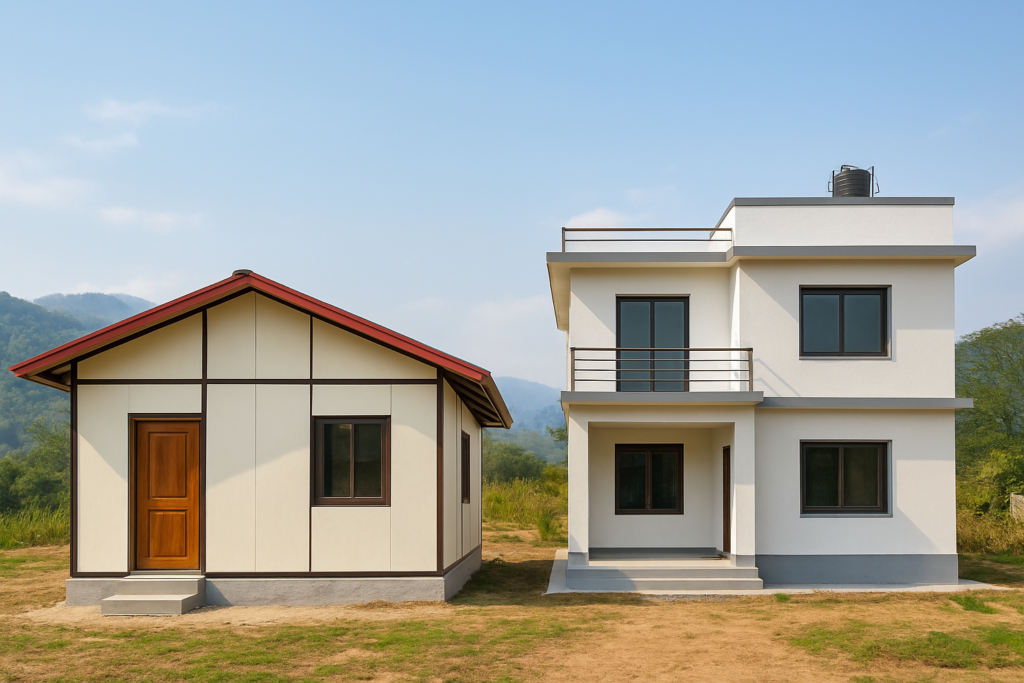
I think you are going to need this application right away. A few days back, I stumbled upon a construction model tracker app that’s a complete game-changer—especially if you’re an NRN trying to build your dream home in Nepal from thousands of miles away. You know that sinking feeling when you wire money home and just pray it’s being used right? Or the endless WhatsApp calls with your contractor trying to figure out if the foundation is really done? Yeah, I’ve been there too. But what if I told you there’s a way to manage your entire construction site by yourself, for free, with just your smartphone? In this post, I’m going to walk you through how you can use a simple application (I’ll give you the latest version details) to take control of your project, whether you’re going for a material labor contract or just want to keep a closer eye on things. Let’s dive in.
Why Self-Management Matters for NRNs Building in Nepal
If you’re not physically present, you’re at the mercy of your contractor’s word. And while there are many honest builders in Nepal, misunderstandings happen. I’ve seen cases where materials were overestimated, labor days stretched, and corners cut simply because no one was watching. Self-management isn’t about distrust—it’s about clarity. It’s about knowing that every brick, every bag of cement, and every rupee is accounted for. With a free construction tracker app, you can do exactly that. Plus, Nepal’s terrain adds complexity: from Kathmandu’s earthquake-resistant building codes (NBC 105:2020) to monsoon-proofing in Pokhara, you need a tool that helps you monitor progress against local standards.
What is a Construction Model Tracker App?
The app I’m talking about is essentially a digital project diary. You input your project details—like the type of contract, milestones, and budget—and it helps you track daily progress, material usage, labor attendance, and even expenses. The latest version I tested (call it the “free builder’s companion”) lets you upload photos, generate reports, and share updates with stakeholders. It’s designed for small to medium projects, which is perfect for most residential homes in Nepal ranging from 2 to 4 storeys. Best part? It’s free. No hidden fees, no premium features locked behind a paywall. You can start using it today.
How to Manage Your Site with the App: A Step-by-Step Guide
1. Set Up Your Project Profile
Start by creating a new project in the app. Name it after your plot location—say, “Baneshwor Family Home.” Define the contract type. If you’re like most NRNs, you’re probably on a material-labour contract: you pay for materials, and the contractor provides labor at a fixed rate. This app lets you assign budgets to each phase—foundation, superstructure, finishing—so you always know if you’re on track.
2. Invite Your Team
Here’s where it gets collaborative. You can invite your contractor, site supervisor, or even your parents who check in every week. Each person can log updates from the field, and you see them in real time. No more “I’ll send the photo tomorrow” excuses. The app sends notifications when someone adds a new report, so you’re always in the loop.
3. Track Daily Progress with Photos and Notes
Every evening, your site supervisor takes a few photos of the ongoing work and jots down what was done—like “casted ground floor slab today.” The app timestamps and geo-tags each entry. Over weeks, you build a visual timeline. This is gold when you need to verify a contractor’s claims or discuss variations. Plus, you can compare against the planned schedule to catch delays early.
4. Monitor Materials and Expenses
For material-labour contracts, you buy materials. That’s a lot of cash outflow. The app lets you record each purchase: cement, rebar, bricks, sand. It even calculates daily consumption versus estimated quantities. I once saw a project where an extra 50 bags of cement just “disappeared”—with this tracker, that would have been flagged instantly. You can also log labor attendance and wages if you’re on a daily labor contract, helping avoid disputes later.
5. Generate Reports to Share with Your Family or Lender
Need to show your brother in the US how the build is going? Or maybe you’re remitting funds in stages and want to prove progress to your bank? The app can generate PDF summaries with photos, expense breakdowns, and task completion percentages. It’s a professional way to keep everyone informed and build trust.
Nepal-Specific Considerations You Shouldn’t Ignore
Building in Nepal isn’t just about concrete and steel. We’ve got monsoons that can halt work for weeks, sudden material price hikes, and the need for NBC-compliant structural design. Here’s how the app can help you navigate these:
- Monsoon Delays: Mark weather interruptions in the daily log. This helps you adjust your schedule realistically and communicate with your contractor about non-working days.
- Price Fluctuations: Record the actual price per unit every time you buy. Over time, you’ll see trends and can budget buffer funds. For example, if rebar jumps from NPR 80/kg to 95/kg, you’ll know to adjust.
- Building Code Compliance: Use the photo log to document that your contractor is following seismic reinforcement details—like proper stirrup spacing in columns. If there’s ever an inspection, you have evidence.
- Remittance Staggering: Many NRNs send money in chunks tied to milestones. With the app, release the next tranche only when you see photographic proof that the previous phase is complete. It’s like holding an escrow without a bank.
Real Talk: Does Self-Managing Actually Work for an Absent Owner?
I won’t sugarcoat it: it requires a cooperative site supervisor. But that’s where your people skills come in. Set clear expectations from day one. Explain that this app is a tool to help them, not spy on them. When they input data, they’re protecting themselves from blame if something goes wrong. And you, as the owner, can sleep better. I’ve seen this approach reduce material wastage by at least 10%—and that’s a big deal when your budget is tight.
FAQs About Self-Managing Your Construction in Nepal
Is the app really free? What’s the catch?
Yes, the version I’m recommending is completely free. It might have ads or offer optional cloud storage upgrades, but for core tracking, you pay nothing. I’ve used it on a few projects without any hidden costs.
Can I use this if I don’t have a site supervisor?
You can, but it’ll be tough. Ideally, you need someone on the ground—a family member, a friend, or a hired overseer—to update the app daily. If that’s not possible, you could ask your contractor to do it, but be aware of the bias. At the very least, install a CCTV camera and sync clips, but the app is most powerful with human input.
How do I get my contractor to actually use the app?
Frame it as a win-win. Tell them it reduces disputes and helps you pay faster. Offer to pay a small monthly bonus for consistent logging. Most contractors today are on WhatsApp and can handle basic apps; it’s just a habit change.
What if my site has poor internet connectivity?
The app works offline. Data gets saved locally and syncs when you or the supervisor connect to Wi-Fi later. In rural Nepal, this is a lifesaver. Just schedule a daily sync session.
Can I track compliance with Nepal’s building codes?
Yes, but you need to know what to look for. The app doesn’t automatically check code—it’s a documentation tool. I recommend having a consultant do periodic virtual checks using the photos you’ve logged. Combine the app with a good structural engineer, and you’re set.
Ready to Take Control? Your Next Step
You’ve already taken the first step by reading this. Now grab the app (I’ll be doing a full demo in my next video, so subscribe to my channel and hit the bell). If you’re serious about building in Nepal without losing your mind or your money, check out my other resources at aenishshrestha.com. I’ve put together free checklists and guides specifically for NRNs. And if you need more personal help, drop me a message—I’d love to hear about your project. Remember, building your home shouldn’t be a headache. With a simple app and the right approach, you can manage it confidently, from anywhere in the world. Happy building!